DNS (Domain Name System) translates Internet names between Internet addresses. We use internet names to refer to hosts on the Internet, such as www.hostropics.com. A router uses internet addresses to transport data across the Internet.
You'll learn how to add DNS records in this tutorial.
One way to add or edit DNS records is to log into your cPanel and click the Zone Editor button under "Domains".
If you purchased DNS Management from us, you can use the steps below to add DNS records right from your Hostropics Client Area:
1) Go to the hostropics.com Client Area by pressing the login button at the top of the page or by visiting https://www.hostropics.com/panel/clientarea.php and log in:

2) Click the Domains button.

3) Select the domain that you want to add or modify DNS records for.
In this example, we're going to select hostropics.us.
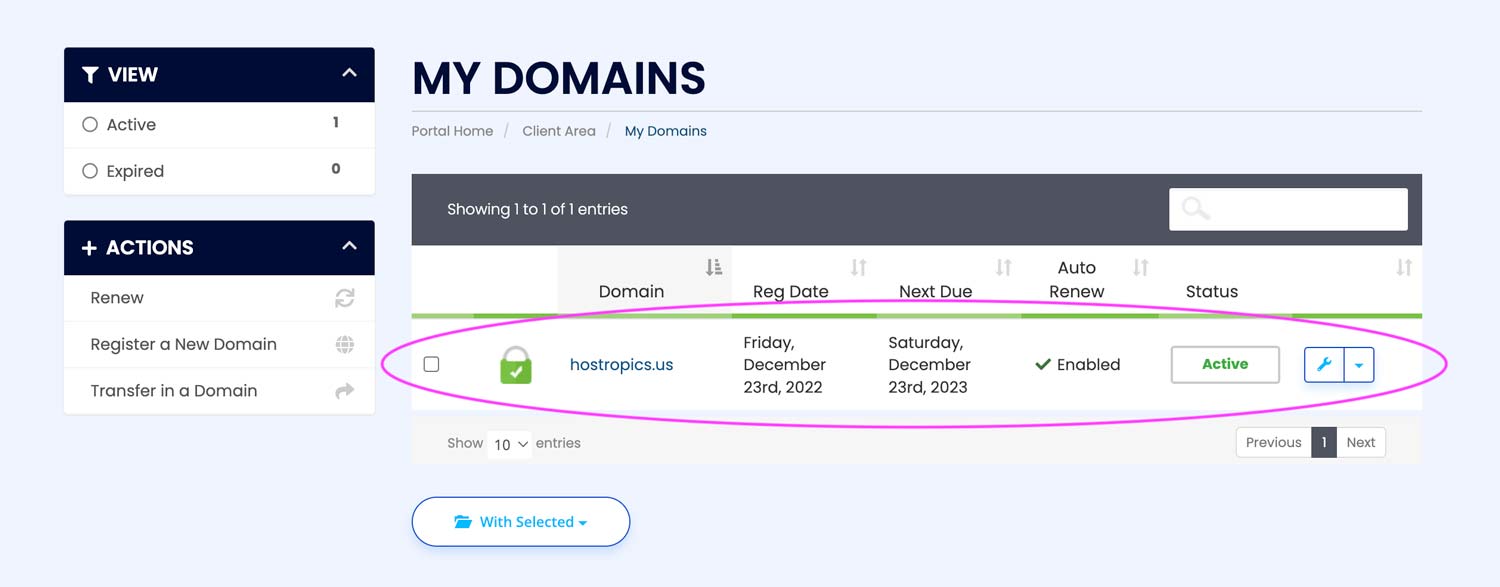
4) Click the DNS management link on the left side of the domain overview screen under "Manage".

5) DNS records can be created, modified, and deleted here.
If you have hosting through Hostropics and are setup through our default Nameservers, you'll already have the A (Address) record set up that points to the IP address of your server
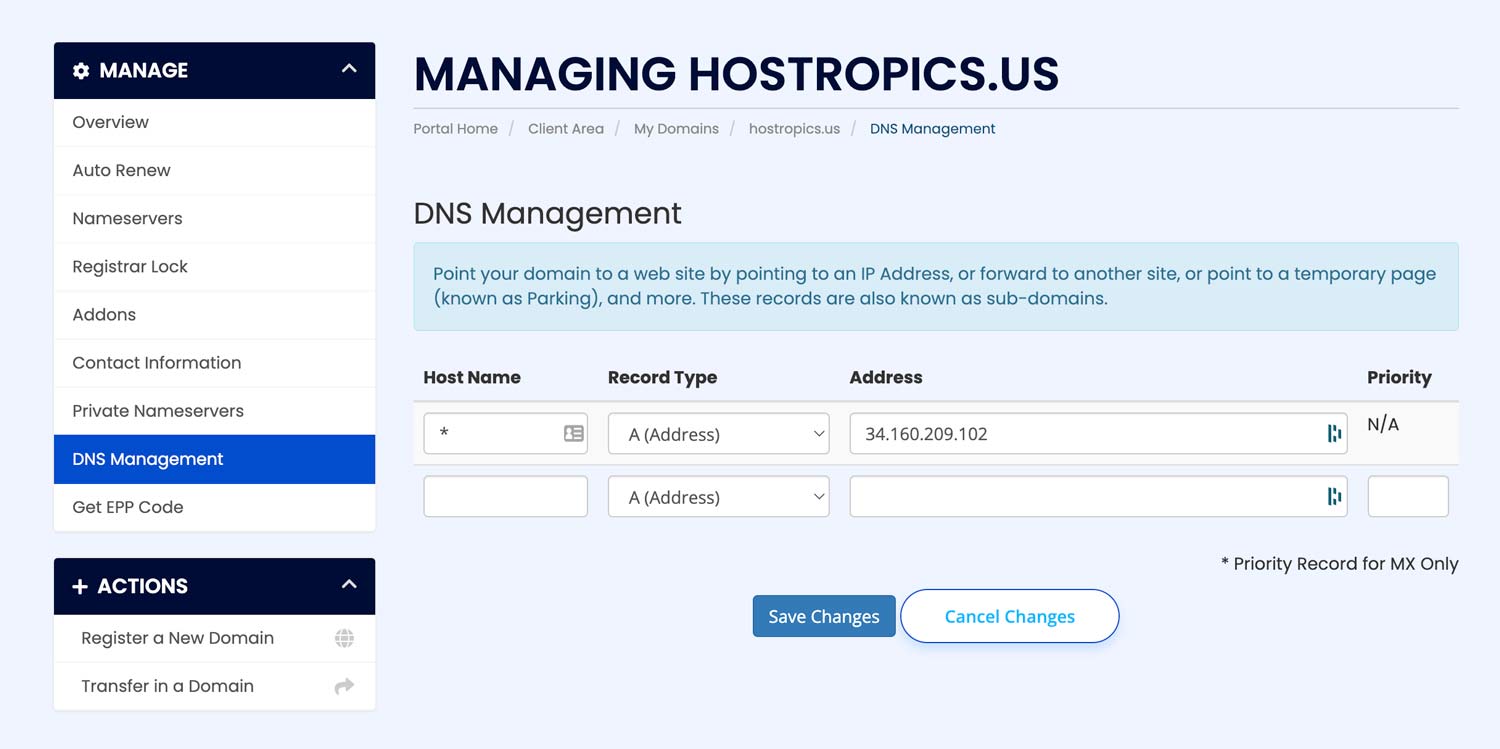
6) Complete the fields in the boxes pictured above to create a record. After completing the form, click the Save Changes button.
Listed below are more details about each DNS record and what it means:
-
The A (Address) record establishes a connection between a host name and an IP address. It is recommended that a computer have multiple address records if it has multiple adapter cards or IP addresses.
-
The AAAA (Address) record works like the A record, but points your domain to an Internet Protocol Version 6 (IPv6) address.
-
MXE (Mail Easy) records are used for configuring mail delivery to a server based on its IP address.
-
An MX (Mail) record allows for mail to be delivered to the proper mail servers in a domain by specifying the appropriate mail exchange server.
-
CNAME (Alias) assigns an alias to a host name. You could, for example, have an alias www.hostropics.com for subdomain.hostropics.com using this record.
-
An SPF (txt) record specifies which mail servers can send email on behalf of a domain. SPF records limit spammers' access to your domain by preventing them from sending messages with forged From addresses.
-
The URL Redirect record uses the HTTP 301 status code to redirect the name to the target name.
-
The URL Frame resembles URL Redirect, except instead of redirecting the client to your site, our web server displays the site in a frame. As a result, the browser will display your domain name (for example: www.hostropics.com) and not your page's actual URL when your users visit your site (for example: www.oldwebsite.com). When using this forwarding method, make sure that any links that leave the page have the target="_top" attribute.
