We all forget our password from time to time. Here's a quick tutorial on how to reset a password for your Hostropics email address.
1) Go to the hostropics.com Client Area by pressing the login button at the top of the page or by visiting https://www.hostropics.com/panel/clientarea.php and log in:

2) Once logged in to your account, access cPanel.
3) Scroll down and select Email Accounts from the "Email" tab.

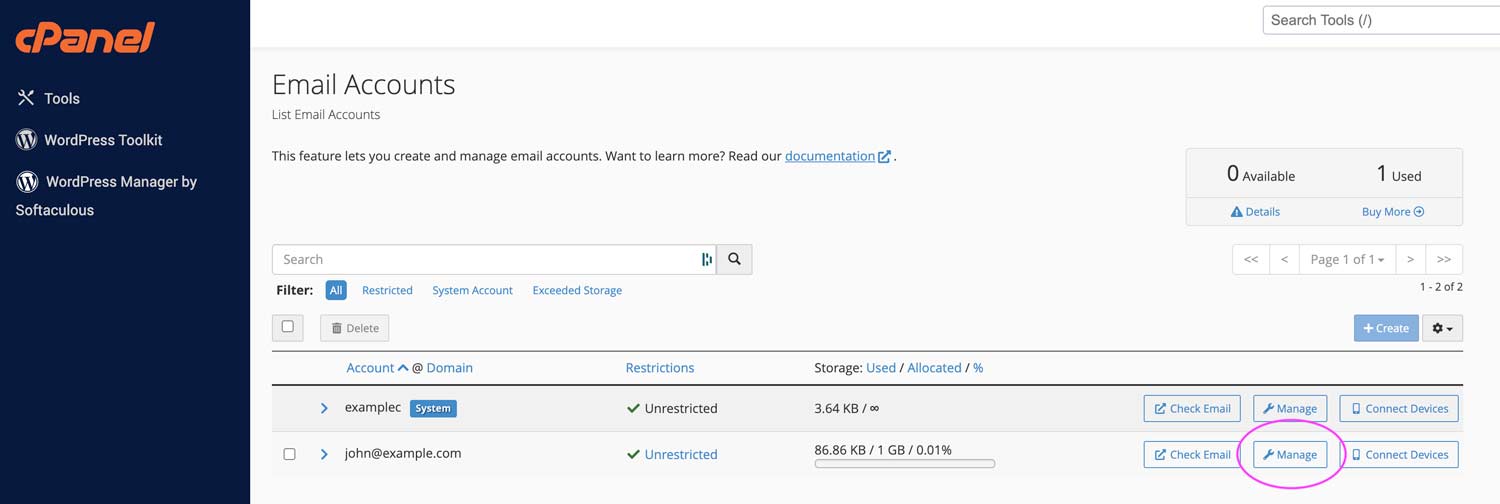
4) Select Manage next to the email that you would like to congifure.
In this example, we're resetting the password for john@example.com
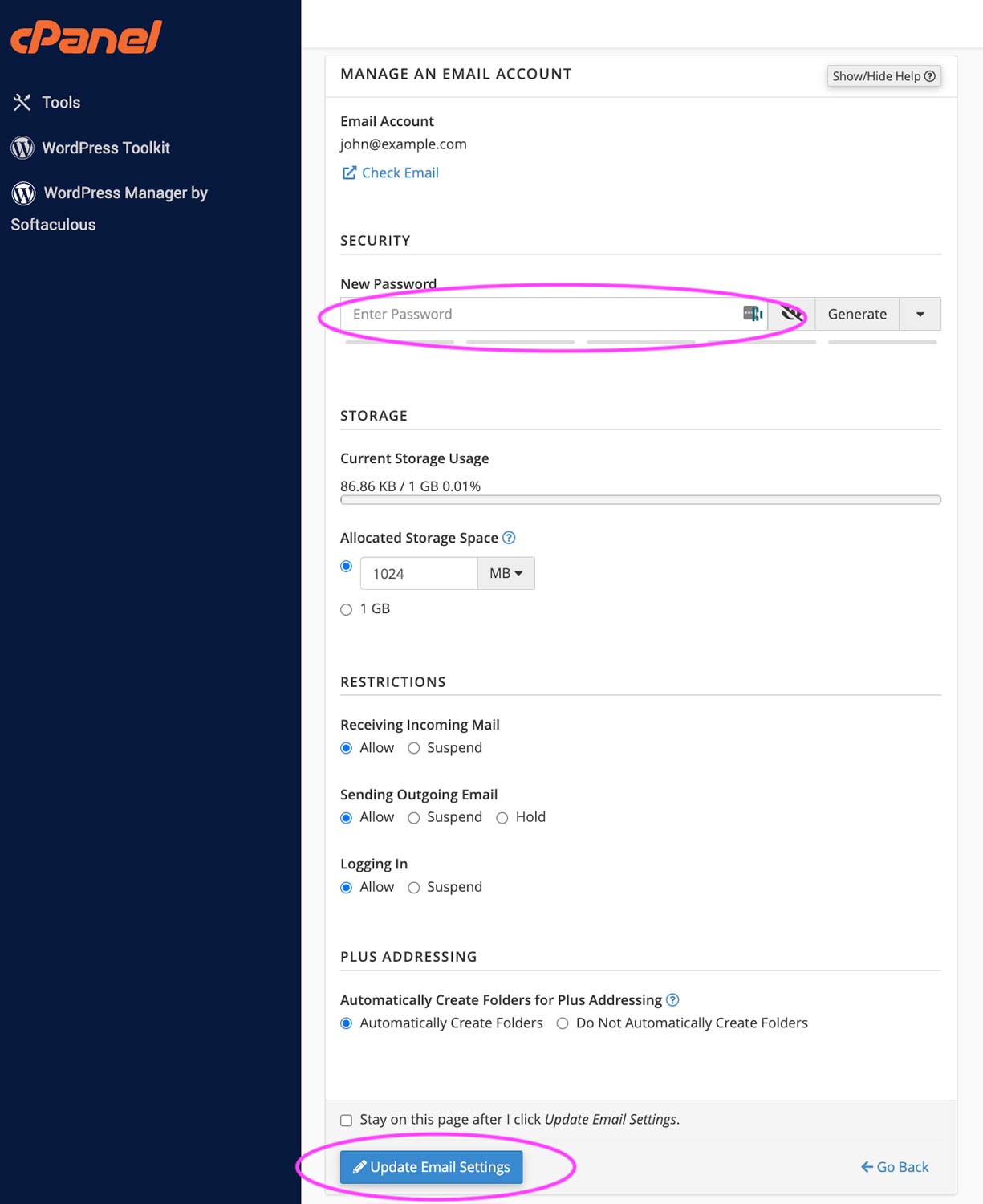
5) Enter your new password under New Password then scroll down and click Update Email Settings.
That's it! You can now login to your email using your new password.
